Service
Some parts of your CMS are user serviceable, and may require service during normal operation. The following chart details at what time parts may need to be serviced.
Service Schedule
Service |
Hours |
Cycles |
|---|---|---|
Clean Light Aperature |
50hrs |
N/A |
100hrs |
N/A |
|
Lubricate Light Sensor |
150hrs |
600 cycles |
Replace Rain Flow Sensor |
1600hrs (or when failed) |
N/A |
Clean the Rain Flow Sensor
Refer to the Service Schedule to determine when the rain flow sensor should be inspected.
Follow the next steps to properly clean your Rain Flow Sensor.
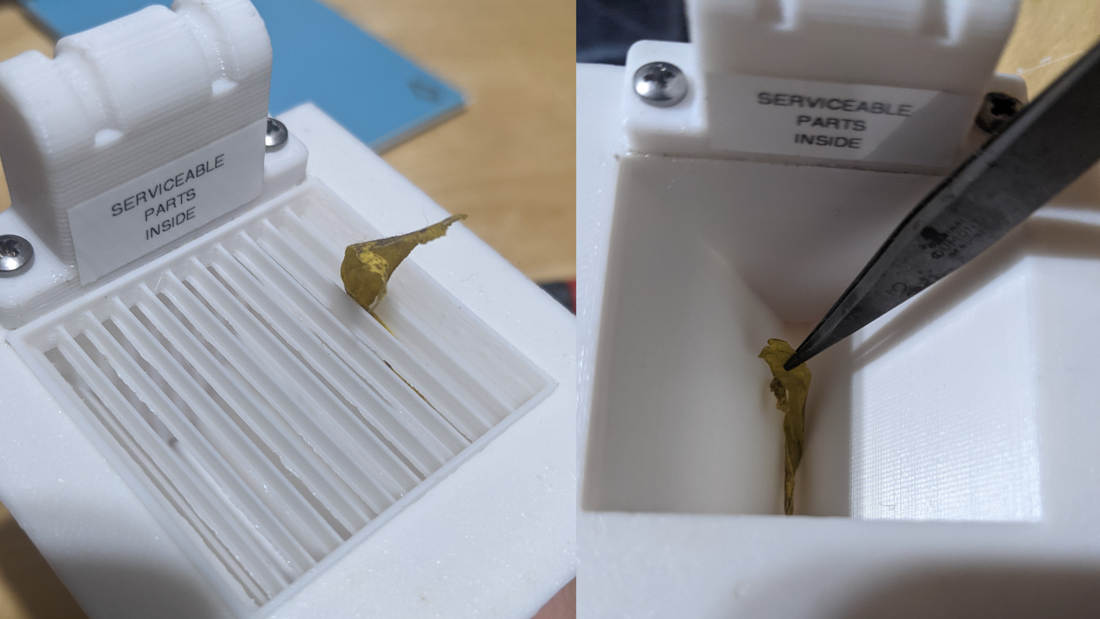
Remove the rain sensor grate, make sure the grate is free of debris before reinstalling.
Note
If debris falls into the rain sensor, use a pair of tweezers to remove it. Be sure to confirm there are no debris before reinstalling the grate or other components.
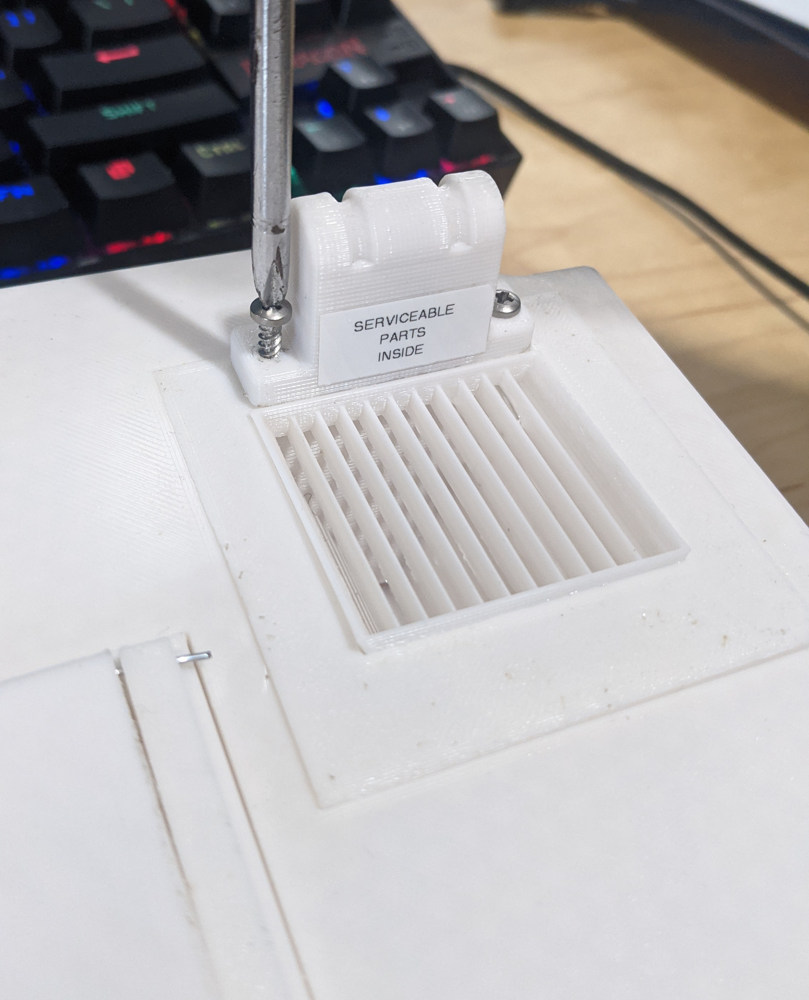
Unscrew the two screws covering the circuitry of the Rain Flow Sensor.
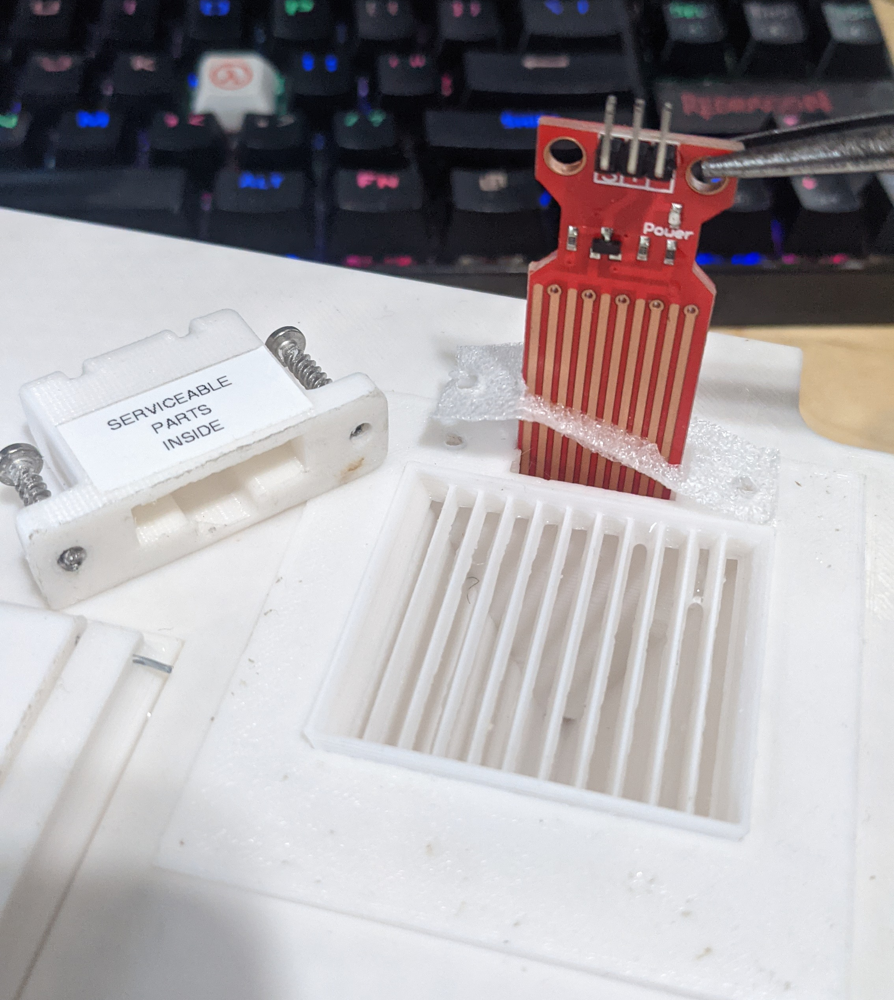
Next, Unplug and slide the water level sensor out.
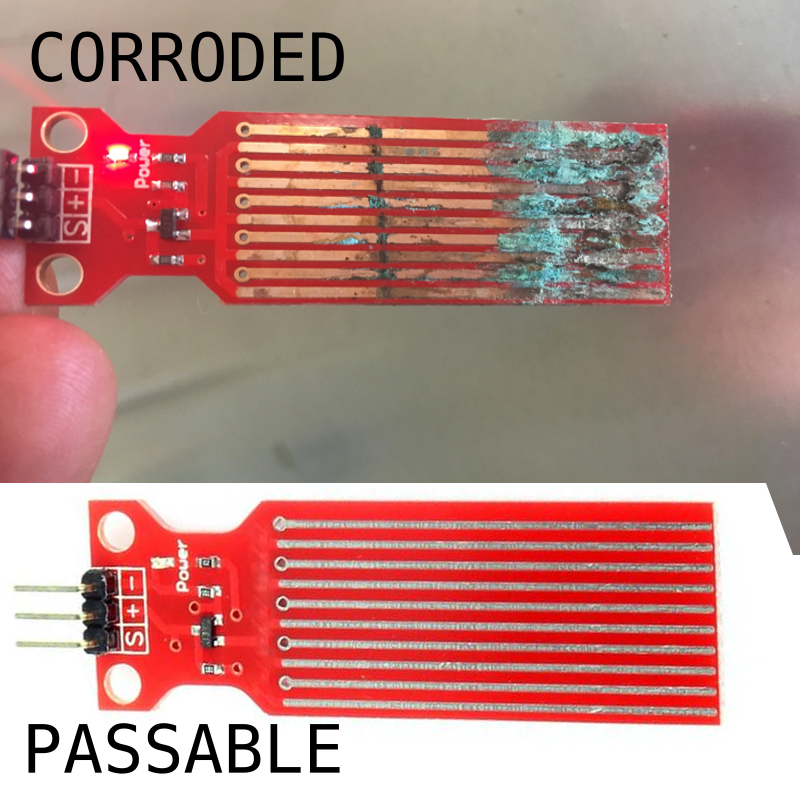
Perform a visual inspection, check for debris, corrosion or other irregularities, if the sensor visually looks good, reinstall the sensor and screw the cover back on.
Warning
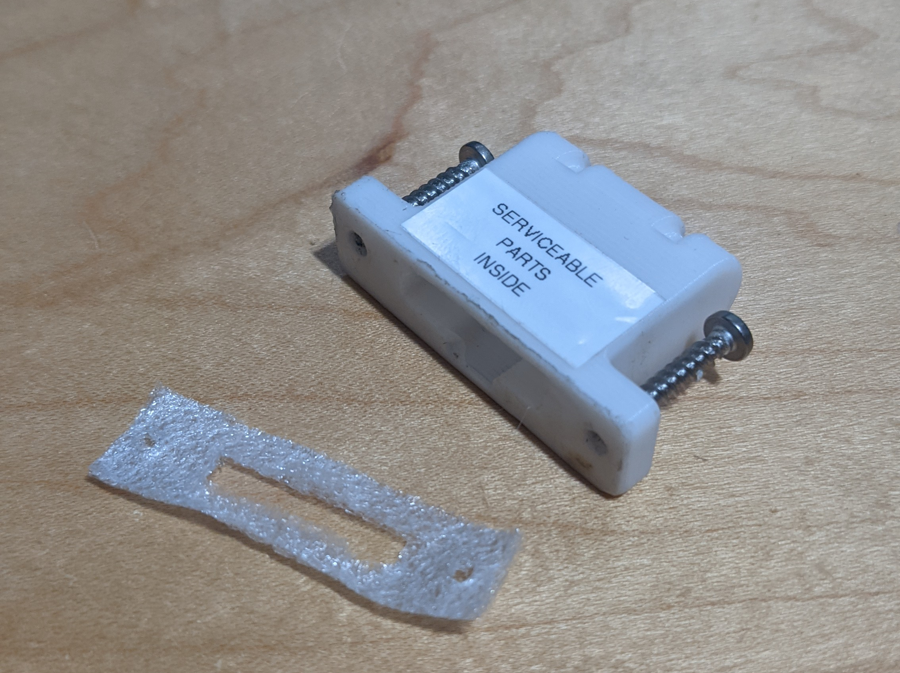
When reinstalling the service cover, be sure to not loose the small gasket found between the two parts.